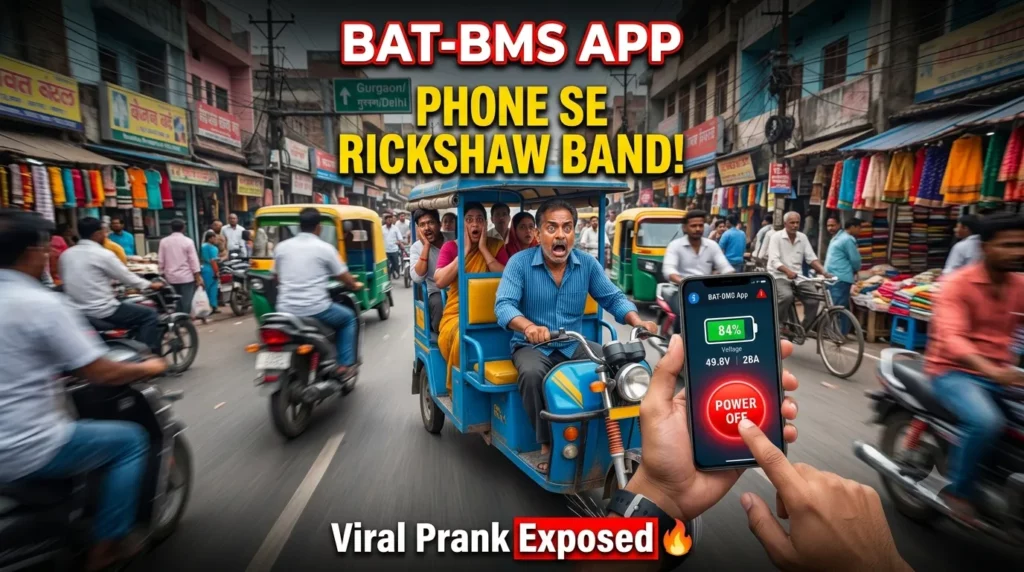
Bat Bms App These days This is the most trending And Searched In India Because Some Wild brains use it continuously. Have you seen those wild videos on Instagram and YouTube where someone pulls out their phone, taps a few buttons, and suddenly an e-rickshaw (or “tirri” or “toto”) stops in the middle of traffic? Yeah, that’s the BAT-BMS app making headlines and headaches across India right now. What started as a simple tool for monitoring lithium batteries has exploded into a full-blown viral sensation, complete with pranks, safety fears, and big questions about tech security.
Now you have to know about the BAT-BMS app and also similar apps, what it actually is, how it works, why it's trending like crazy this month, the risks involved, and how to stay safe if you own or ride an electric vehicle. Whether you're a curious bystander, an e-rickshaw driver, or just someone who loves To do Things to impress people.
BAT BMS App इन दिनों भारत में सबसे ज्यादा ट्रेंडिंग और सर्च हो रहा है। कुछ शरारती दिमाग वाले लोग इसे लगातार इस्तेमाल कर रहे हैं। क्या आपने वो वायरल वीडियो इंस्टाग्राम और यूट्यूब पर देखे हैं? जिसमें कोई व्यक्ति अपना फोन निकालता है, कुछ बटन दबाता है और अचानक बीच सड़क पर ई-रिक्शा (तिर्री या टोटो) रुक जाता है? हाँ, यही है BAT-BMS App, जो फिलहाल पूरे भारत में सुर्खियां बटोर रहा है। जो शुरू में सिर्फ लिथियम बैटरी मॉनिटर करने का एक साधारण टूल था, वो अब पूरी तरह वायरल सनसनी बन चुका है — प्रैंक्स, सुरक्षा की चिंता और टेक सिक्योरिटी के बड़े सवालों के साथ।
What Is the BAT-BMS App
The bat-Bms Stand for Battery management system And its free mobile app developed by a Chinese company And it's designed specifically for smart Bluetooth embedded lithium batteries. Think like it's your phone personal dashboard so you can manage With Having an extra Hardware monitor Simple and useful. TheConnect Wirelessly via Bluetooth 5.0 Two compatible batteries And the range within about 15 meters. After Paired Displays real-time data.
- State of Charge (SOC)
- Pack voltage
- Charge and discharge current
- Individual cell voltages
- Temperature readings
- Cycle life tracking
The app was made straightforward by legitimate owners of lithium batteries in golf carts, Solar setups, E-Bikes, E-scootys, and small EVS. sounds so normal right? But in 2026 india, Where affordable Chinese lithium batteries power thousands of e-rickshaws, this app has found a much bigger, unintended audience.
BAT-BMS App क्या है?
BAT-BMS का पूरा नाम Battery Management System है। यह एक फ्री मोबाइल ऐप है, जो एक चाइनीज कंपनी द्वारा बनाया गया है। यह खासतौर पर Bluetooth-enabled स्मार्ट लिथियम बैटरियों के लिए डिज़ाइन किया गया है।
सरल भाषा में कहें तो यह आपके फोन का एक पर्सनल डैशबोर्ड है, जिससे आप बिना किसी एक्स्ट्रा हार्डवेयर के अपनी बैटरी को मॉनिटर और मैनेज कर सकते हैं।
यह Bluetooth 5.0 के जरिए 15 मीटर की रेंज में बैटरी से कनेक्ट होता है। कनेक्ट होने के बाद यह रीयल-टाइम डेटा दिखाता है:
- State of Charge (SOC)
- पैक वोल्टेज
- चार्ज और डिस्चार्ज करंट
- इंडिविजुअल सेल वोल्टेज
- टेम्परेचर
- साइकिल लाइफ ट्रैकिंग
यह ऐप मूल रूप से गोल्फ कार्ट, सोलर सिस्टम, ई-बाइक, ई-स्कूटी और छोटे EVs के मालिकों के लिए बनाया गया था। सामान्य लगता है ना? लेकिन 2026 के भारत में, जहां हजारों सस्ती चाइनीज लिथियम बैटरियों से ई-रिक्शा चल रहे हैं, यह ऐप अपना असली ऑडियंस ढूंढ चुका है।
How To Use the BAT-BMS App?
- Download and Install: Get it for free from the App Store or Google Play Store.
- Turn on Bluetooth: Your phone must support BLE.
- Scan for Devices: The app looks for suitable batteries in the area. Keep in mindYou have to In the range of 15 meters.
- Connect: It will connect with the battery automatically But it takes time and for that time being you have to maintain the distance.
- Monitor and Control: After It's connection Then you have to click the control option Then you will find Charge switch On and off option And discharge switch on and off option.
BAT BMS app kaise use kare
- डाउनलोड और इंस्टॉल करें — Google Play Store या App Store से फ्री में डाउनलोड करें।
- Bluetooth ऑन करें — आपके फोन में BLE सपोर्ट होना चाहिए।
- डिवाइस स्कैन करें — ऐप आस-पास की बैटरियों को सर्च करेगा (15 मीटर के अंदर रहें)।
- कनेक्ट करें — बैटरी से कनेक्ट हो जाएगा (कुछ समय लग सकता है)।
- मॉनिटर और कंट्रोल करें — कनेक्ट होने के बाद Control ऑप्शन में जाएं। वहां आपको Charge Switch और Discharge Switch On/Off करने के ऑप्शन मिलेंगे।
Why Is BAT-BMS Trending So Hard Right Now? July 2026 Viral Storm
This month Something happened, Bat Bms App blew upThanksThousands of prank videos on social media. People FlameThemselves “Hacking” passing e-rickshaws by connecting through the app and cutting power mid-ride. The clips spread like wildfire, sparking debates, fear among drivers.
Only in India has A massive Fleet of low-cost Electric three-wheelersIs relying on imported lithium packs with Bluetooth BMS And The perfect storm of Accessible tech viral short form content and every urban life. Search trends and reels are through the roof, with queries like "BAT BMS app kaise use kare" and "BAT BMS real or fake" dominating.
The Dark Side of BAT-BMS App
This is when things become serious. The software is being used by pranksters to remotely stop e-rickshaws' discharge, leaving drivers and passengers stranded. Videos show e-rickshaws stopping suddenly, increasing the chance of an accident. While passengers fear unexpected stops in traffic, drivers worry about their livelihoods being disrupted. As EV use increases, experts point out wider security weaknesses.
Is it "hacking"? In technical terms, it's more similar to illegal access to unprotected Bluetooth devices. On the ground, however, the impact is quite authentic.
How to Protect Your E-Rickshaw and Battery from BAT-BMS Misuse
If you have an e-rickshow or an e-scooty then you are not hopeless. You don't have to wait to be a victim of a roadside prank. You can take immediate action to lock down your system. Follow the step by step guide. Then no one can get through.
- Download the App: Ensure you have the correct battery management app (like BAT-BMS or its equivalent) installed on your smartphone.
- Connect to Your Battery: Stand near your vehicle, turn on your phone's Bluetooth, and pair the app with your battery.
- Enter the Default PIN: If it asks for a password and you’ve never set one, try the usual suspects: 123456, 000000, 111111, or 888888.
- Find the Security Settings: Navigate to the app's settings, parameters, or "admin" menu.
- Change the Password: Locate the option to change the BMS password. Set it to a unique, highly secure 6-to-8-digit PIN that only you know. Write it down and keep it safe.
Once you change this password, anyone trying to connect to your vehicle from the sidewalk will be hit with a "Connection Failed" or "Incorrect Password" prompt. You’ve successfully locked the digital door.
अपनी ई-रिक्शा को BAT-BMS से कैसे बचाएं?
- सही BAT-BMS या संबंधित ऐप डाउनलोड करें।
- अपने वाहन के पास खड़े होकर Bluetooth ऑन करें और बैटरी से कनेक्ट करें।
- डिफॉल्ट PIN डालें (123456, 000000, 111111, 888888 आदि ट्राई करें)।
- Settings या Admin मेनू में जाएं।
- BMS Password बदलें — एक मजबूत 6-8 अंकों का नया PIN सेट करें जो सिर्फ आपको पता हो।
पासवर्ड बदलने के बाद कोई भी बाहर से कनेक्ट नहीं कर पाएगा।
Are Other Electric Vehicles at Risk?
Any EV owner will get sweaty just watching such videos. Should you be concerned about a teenager using a smartphone shutting off your car on the highway if you drive a Mahindra 9S, Tata Nexon EV, Tata Punch EV, MG Windsor EV or an expensive electric scooter?
The short answer is: probably not. You can take a deep breath.
The BAT-BMS app's ability to connect to any electric vehicle is completely unfounded. Only certain Bluetooth modules that are compatible with the app's precise software protocols can be used to connect with it. This particular app is totally incompatible with your high-end electric vehicle or electric scooter.
Why are bigger EVs safe? It all comes down to the design of the technology. Reputable e-scooter manufacturers and large automakers utilize unique battery management systems that are strictly regulated. The public is not exposed to open, unprotected Bluetooth transmissions from their BMS modules. Rather, they exclusively connect with the official, extremely secure apps of the manufacturer over encrypted communication protocols.
Also some E-scooty need a password or a code to connect with the application and they can't do it With the car easily Because The technology is different.
Pros and Cons of the BAT-BMS App
Pros & Cons
A quick breakdown before you decide
Pros
- Completely free and easy to use.
- Eliminates need for separate monitors.
- Real-time insights improve battery longevity.
- Supports multiple batteries.
- Great for basic diagnostics.
Cons
- Limited to specific Bluetooth lithium packs.
- Security vulnerabilities on some systems.
- Potential for misuse leading to pranks or worse.
- Short range (15m max).
- No advanced features like cloud syncing or AI predictions.
FAQs
Is the BAT-BMS app legal to use?
Yes, for monitoring your own compatible batteries. Misusing it to interfere with others' vehicles can lead to legal trouble, similar to other forms of tampering.
Can BAT-BMS really turn off any e-rickshaw?
No – only those with unsecured, compatible Bluetooth BMS within range. Not every vehicle is vulnerable. New e-rickshaw work Good.
Are there better alternatives to BAT-BMS?
Yes, depending on the type of user experience you want. Many apps offer a more secure and feature-rich experience than BAT-BMS. If you need advanced battery management tools, premium BMS solutions may provide better protection and additional features, you'll find a list of apps that you can use as alternatives. Here "Best BAT BMS Alternatives"
Conclusion
The BAT-BMS app is a perfect example of how everyday tech can spark both innovation and chaos. What began as a helpful monitoring tool has become a cultural moment in India's EV scene, reminding us all about the importance of security in our increasingly connected world.
Use tech responsibly, stay updated on protections, and who knows? If you keep doing The prank Maybe you got a call fromYour nearest police station, stay safe, My homies.Stay safe my homies